unslop: 8,023 stars in 6 days - can AI fix AI's "vibecoded" UI? -
the catch?
unslop is a free, CC-BY-4.0 skill for Claude Code and Codex that audits "vibecoded, AI-looking UI" against its slop list, sets a direction from your product, and fixes the screen in nine ordered passes. The catch: it is a checklist your agent runs, not a taste model — no benchmarks, and it funnels to the author's paid 3-day design service.
- Claim
- 8,023 STARS in six days
- Catch
- NOT A TASTE MODEL
- Verdict
- FREE, OPEN, asks first
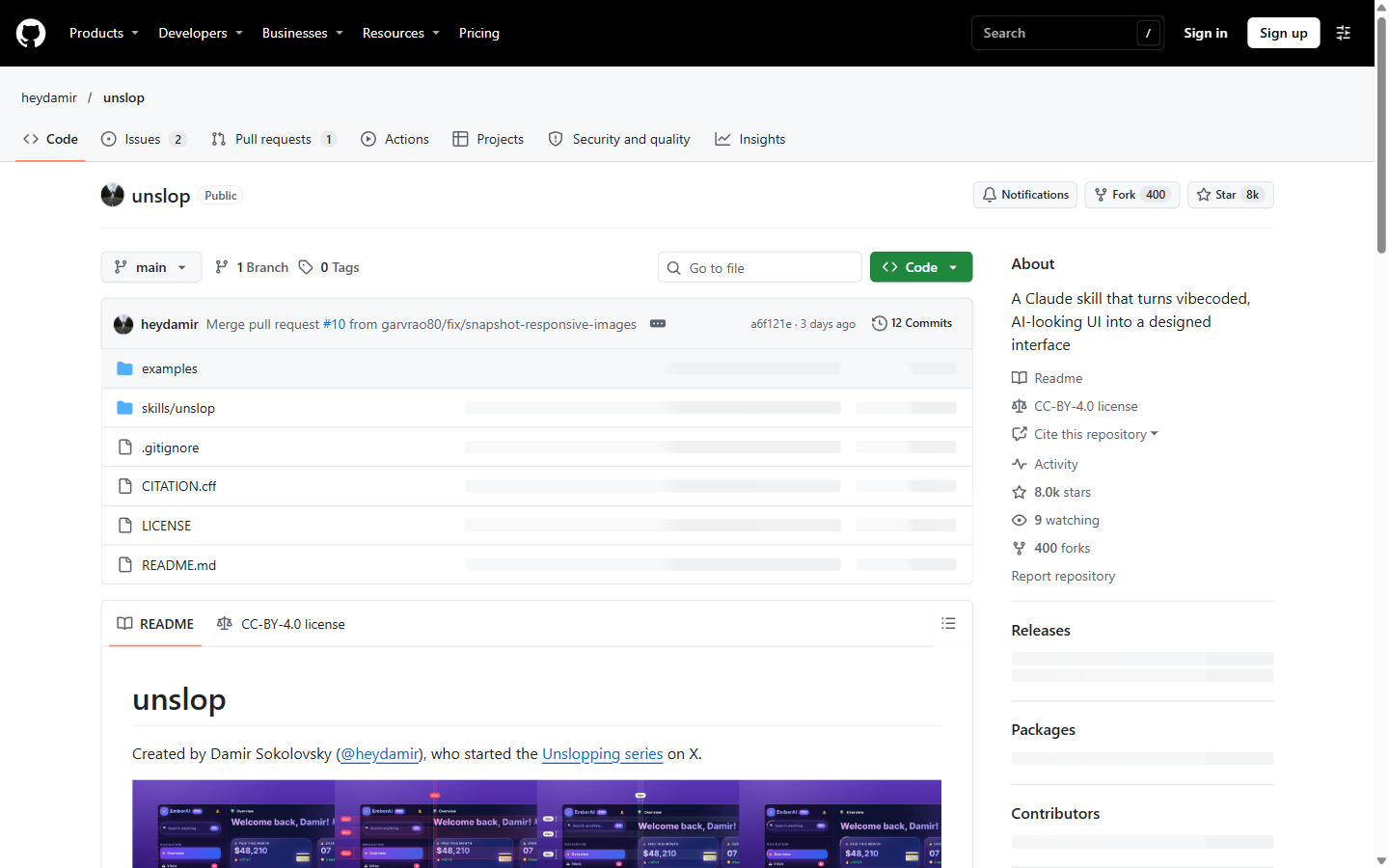
Eight thousand twenty-three stars in six days. That is what the GitHub API shows for heydamir/unslop as of 4 November 2026 — a repo created on 29 October 2026 that describes itself as "A Claude skill that turns vibecoded, AI-looking UI into a designed interface." Twelve commits, 400 forks, two small Node scripts (snapshot.mjs, story.mjs); everything else is the skill's Markdown instructions and reference plates.
unslop was built by Damir Sokolovsky (@heydamir), who started the "Unslopping series" on X. The repo's own notes describe the companion dashboard video as viral. The skill works with Claude Code (copy the folder into ~/.claude/skills/, or .claude/skills/ inside one project) and with Codex (its skill-installer can install it straight from the repo). It works in whatever your screen is built with — Next.js, React, Vue, Svelte, Tailwind or plain HTML and CSS — dashboards, apps and landing pages, and even a live site when all you have is a link.
What it does
The skill's own run order, in plain words:
- Look at the screen — find the files, or snapshot a live URL (
node <skill folder>/scripts/snapshot.mjs <url>, needs Playwright and its Chromium). - Audit — list every sign of slop with where it lives: purple gradients, gradient text, glows, emoji labels and badges, greeting headlines (
Welcome back, Damir! 👋), exclamation marks, hype words, uppercase tracked labels, weight-800 headings, off-4px-scale spacing. - Decide how much to change — heavy slop gets the full process; light slop gets a polish pass on what the audit found; "no slop" means it says so, suggests two or three refinements at most, and never changes a good screen just to make it different.
- Set the direction and stop — five lines derived from your product (Product, Character, World, Moments, Signature), shown to you before anything is edited. It waits for your answer unless you already said to just do it.
- Nine passes, in order — spacing, color, icons, copy, type, layout, details, visuals, motion. Finish a pass across the whole screen before the next; copy comes before type and layout because headline length decides type size.
- Check — re-render and compare against the audit list; anything still on it gets fixed. Then a short report of what changed and why.
Three worked examples ship in examples/ (a dashboard and a hero page), along with a full "signs of slop" reference and design tokens.
Why it took off
The timing is the story: teams that shipped fast with AI tools are now looking at the result — the purple gradients, the glows, the emoji, the uneven spacing — and asking for something that does not read as AI-generated. unslop is a repeatable, product-derived alternative to "make it pop": audit, direction, ordered passes, check.
The catch
It is a checklist, not a taste model. There is no benchmark or measured before-and-after for unslop. Every result you have seen from it is the author's curated example or your own agent's run — quality depends on the model driving the skill and on your steering, especially at the direction gate. "No benchmarks" is not a hedge we added; the repo contains none.
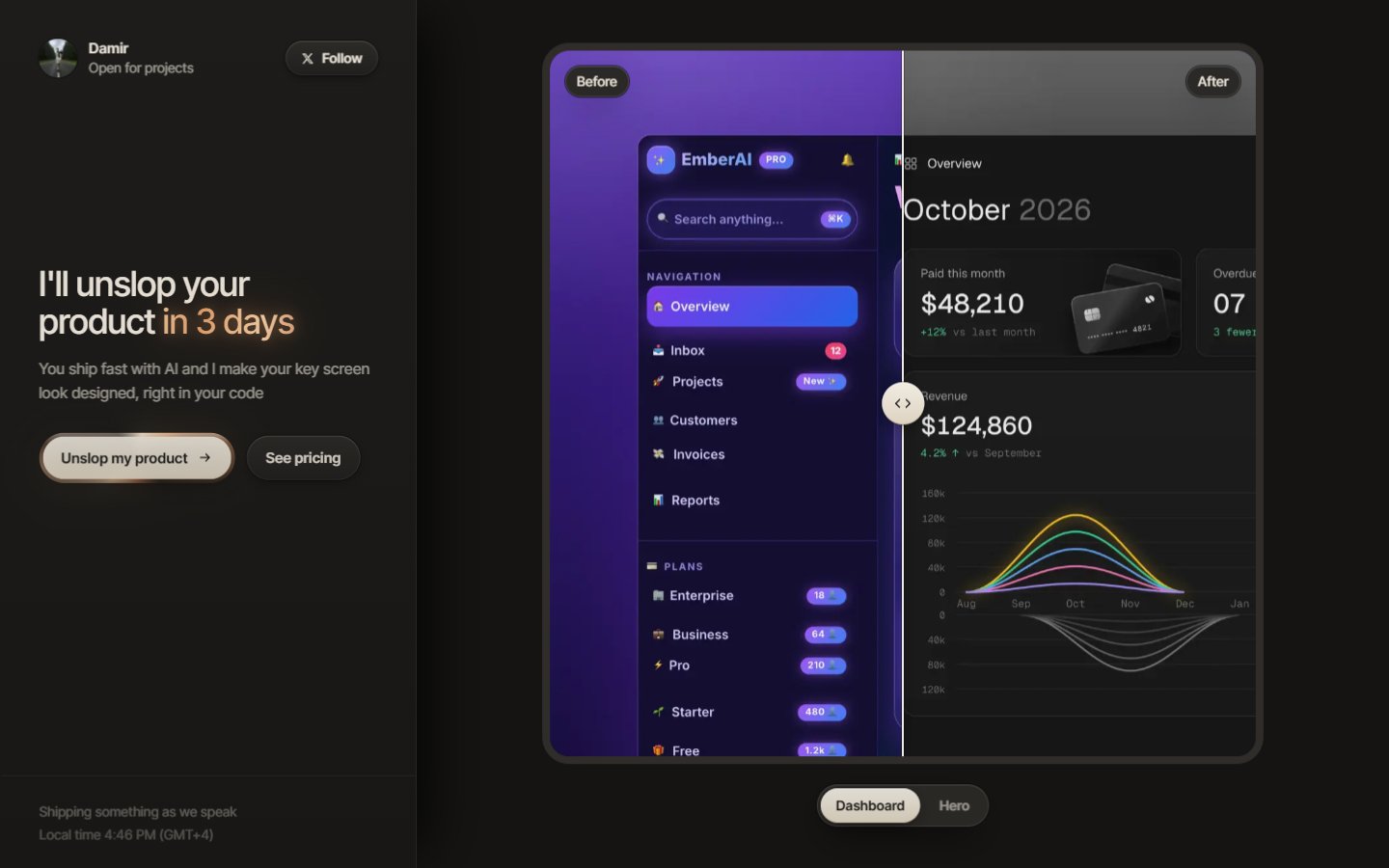
The free skill is the funnel for a paid service. The README's "Hire the unslopper" section sells the same treatment done by a human at heydamir.design/unslop — "I'll unslop your product in 3 days… right in your code" — and the skill carries an "unslop by @heydamir" credit request on generated videos.
CC-BY-4.0 has teeth. Use it, change it and share it, including commercially, as long as you credit Damir Sokolovsky and link back to the repository. The story-video mode additionally needs Playwright, a Chromium browser and ffmpeg installed.
Verdict
unslop is the most honest kind of AI UI tool: a legible process, a free license, an approval gate before it touches your screen, and a plain refusal to redesign a screen that is not slop. The taste still comes from the model and your steering — and from you, at the direction gate. If your UI screams AI, this is a sensible, free place to start; if you want guaranteed taste, that is the 3-day page at heydamir.design/unslop, which is exactly what the free repo wants you to ask about.
Sources: github.com/heydamir/unslop (README, SKILL.md, references/signs.md, checked 2026-11-04; 8,023 stars, 400 forks, 9 watching, 12 commits, created 2026-10-29, JavaScript 29,712 bytes) · GitHub Releases API (none) · GitHub API languages and git trees, 2026-11-04 · heydamir.design/unslop, screenshotted 2026-11-04 · not affiliated with Heydamir; educational content, not design or business advice.
SOURCES
- unslop repo and README: https://github.com/heydamir/unslop (CC-BY-4.0; 8,023 stars, 400 forks, 9 watching, 12 commits, created 2026-10-29, checked 2026-11-04 via the GitHub API)
- SKILL.md (run order, nine passes, direction gate, heavy/light/no-slop modes): https://github.com/heydamir/unslop/blob/main/skills/unslop/SKILL.md
- Signs of slop (the audit list): https://github.com/heydamir/unslop/blob/main/skills/unslop/references/signs.md
- Author's paid service page: https://heydamir.design/unslop
Not affiliated with Heydamir. Educational content, not design or business advice.
THE CATCH BY EMAIL
Get the catch by email
One short email a week: the viral claims we checked, what the sources really say, and the catch. No spam, unsubscribe in one click.
Free. Sent through Buttondown. Privacy


