Map your whole codebase in 3 steps with Graphify.
The catch? The 80% token cut is the paid Cloud
We installed Graphify and mapped Flask's codebase on Windows 11. Three steps, 2,091 nodes, about five seconds, zero tokens. Here is every command, what it printed, and the catch.
- Claim
- Map a codebase in 3 steps
- Catch
- THE 80% IS GRAPHIFY CLOUD
- Verdict
- A free map, not a miracle
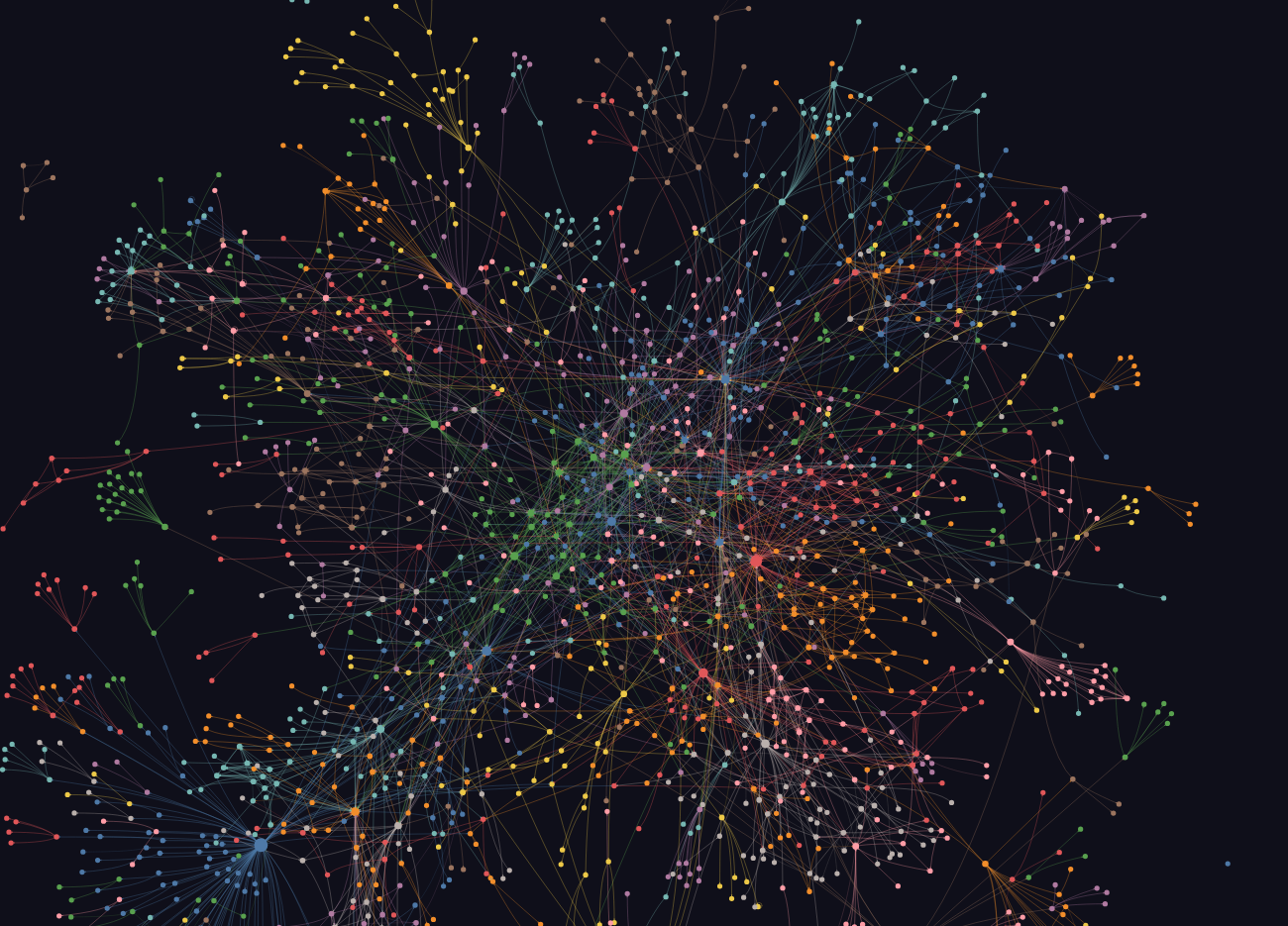
Graphify turns a codebase into a knowledge graph: every file, class and function becomes a node, every import and call an edge. Your AI coding agent can then ask the graph where something lives instead of grepping through files. We tested it on Flask 3.1.3 on Windows 11 on October 26, 2026, with Graphify 0.9.95. Every command and output below is from that run.
What you need
- Python 3.10 or newer
- For code, no API key: Graphify parses code locally with tree-sitter
- A project to map (we used Flask's source from PyPI)
Step 1: install
In a terminal, in your project folder, make a virtual environment and install the package. It's graphifyy with two y's; the README says other graphify packages on PyPI aren't theirs.
python -m venv .venv
.venv\Scripts\activate
pip install graphifyySuccessfully installed graphifyy-0.9.95 networkx-3.7 numpy-2.5.4 ...On macOS or Linux, activate with source .venv/bin/activate. The README's own route is uv tool install graphifyy. On our PC that installed fine, but Windows' app control blocked the graphify.exe it created; the pip install above ran normally.
Step 2: extract the code
graphify extract . --code-only[graphify extract] --code-only: skipping 120 non-code file(s) (112 docs, 0 papers, 8 images) — no LLM extraction
[graphify extract] found 90 code, 0 docs, 0 papers, 0 images
[graphify extract] 1 file(s) skipped as potentially sensitive (rename or move if wrongly flagged): .env
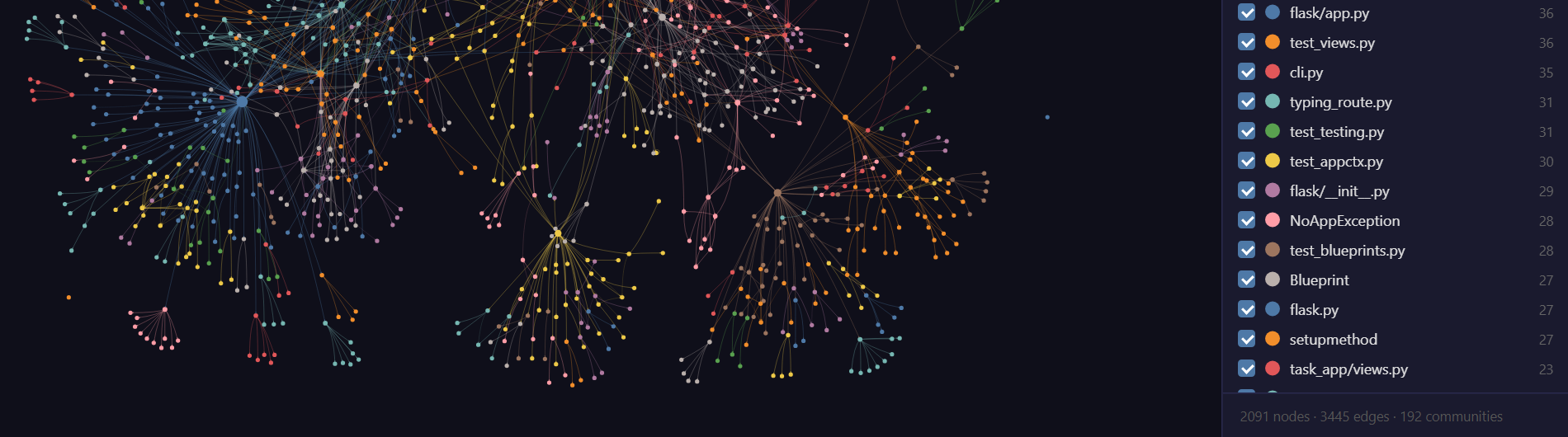
[graphify extract] wrote ...\graphify-out\graph.json: 2091 nodes, 3445 edges, 192 communitiesThat took about 4 seconds. Note the .env line: it skips files that look like secrets.
Step 3: cluster and draw it
graphify cluster-only .Done - 192 communities. GRAPH_REPORT.md, graph.json and graph.html updated.Open graphify-out/graph.html in a browser to explore and search the map. GRAPH_REPORT.md lists the hubs; for Flask the most connected node was the Flask class with 85 edges. The report's token cost line read 0 input, 0 output.
Ask it questions
graphify query "how does a request reach a view function" --budget 300The answer isn't prose. It's the slice of the graph your agent should read first: here 236 matching nodes, cut to the 12 that fit a 300-token budget, each with its file and line.
Bonus: hook it into Claude Code
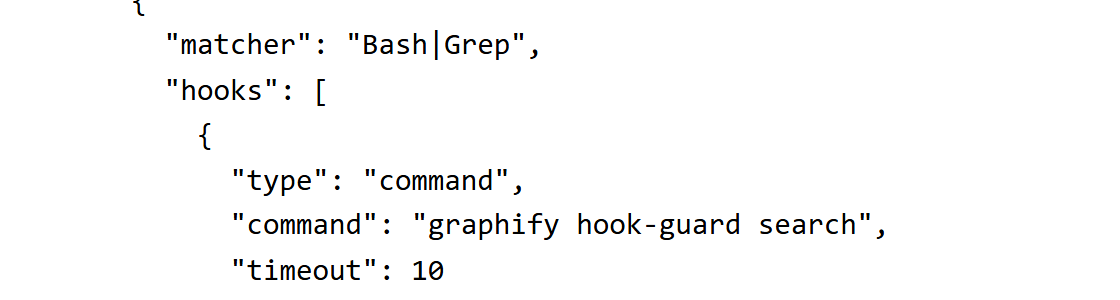
graphify install --project --platform claudeThis adds the /graphify skill under .claude/, a section in CLAUDE.md telling Claude to query the graph before grepping, and PreToolUse hooks in .claude/settings.json that run graphify hook-guard before Claude's Bash, Grep, Read and Glob tools. The README's next step is typing /graphify . in Claude Code, which also maps docs with Claude's own model; we didn't run that part.
The catch
The README's headline, "Cut agent token spend by 80%," is about Graphify Cloud, the paid hosted product. The free tool makes no savings claim, and its benchmarks are self-run on small samples: on LOCOMO question answering (n=300) it scored 45.3% against supermemory's 49.7%. Docs, PDFs and images need an AI model, and with no API key set, Graphify names its clusters with the claude CLI if it's installed (GRAPHIFY_BACKEND=none turns that off). The Claude Code install also changes how your agent works on every search and file read. And the README says queries are logged to ~/.cache/graphify-queries.log by default, but in 0.9.95 that log is opt-in, and our run didn't create one.
Undo it
Everything lives in your project folder. These are the files our run created:
.venv/andgraphify-out/.claude/skills/graphify/and.claude/CLAUDE.md(from the Claude Code step)- a
## graphifysection inCLAUDE.md, and thehooksblock in.claude/settings.json
deactivate
Remove-Item -Recurse .venv, graphify-out
Then delete the Claude Code files above if you added them. The README also offers graphify uninstall --purge; it removes Graphify from every agent it detects, including user-wide skill folders, so we didn't run it here.
Verdict
A free, fast map for your agent, not a token miracle. If you use Claude Code on a big repo, it's worth five minutes, and worth reading the hooks it adds before you commit them.
SOURCES
- Graphify README and install docs, github.com/Graphify-Labs/graphify (read October 26, 2026).
- graphifyy 0.9.95 on PyPI, pypi.org/project/graphifyy (released October 23, 2026).
- Our test: Flask 3.1.3 source from PyPI, Windows 11 Home, Python 3.14.7, PowerShell 5.1, October 26, 2026.
Not affiliated with Graphify. No affiliate links. Tested on one project on one PC; your numbers will differ.


